9 Ergonomic Tips for Synchronizing Your Work Station and Office Chair

9 Top Tips for Adjusting Your Office Chair and Workstation
If you find yourself sitting at a desk and working for long hours each day and your office chair isn't supporting you correctly, you may be placing a huge amount of stress and strain on your neck, back, wrists, and shoulders. To make sure you are supported, try the following nine tips to help ensure a more ergonomic approach to sitting.
1. Adjust the Armrest to Provide Shoulder Support
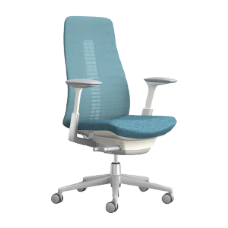
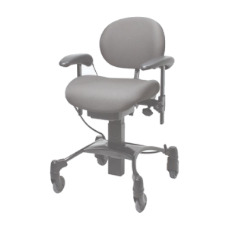
Your armrests play a large role in helping to reduce shoulder and neck strain because they make it far less likely that you'll slouch forward in your chair. Adjust the armrests on the chair to the point where your arms are lifted a small amount at the shoulder joint. This position allows the armrests to support your elbows whilst removing the weight from your shoulders to reduce strain. Armrests are also helpful when launching out of your chair. By pushing down on the arms when getting up, you distribute the weight evenly through your back when moving to stand.
2. Adjust Your Chair's Back Support and Swivel
Any chair you sit in for work should give you plenty of support for your back by angling it just past or up to 90°. Some office chairs come with an excessive swivel feature and options to recline the back, and you can lock them to prevent the chair from automatically tipping back. Some chairs also come outfitted with lower back support and an adjustable band that you can move down or up to get in the small of your back for increased support.
3. Adjust the Work Surface to Your Height
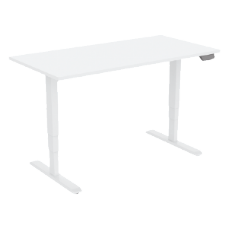
If you're a taller person and you find yourself constantly bending or hunching forward to read printed materials or type on your keyboard, you may want to consider bringing your desk or workstation up a few inches. A height-adjustable desk will allow you to raise the desk, then you can raise the chair. And always ensure that your arms are at right angles to the desk to reduce stress through your shoulders, thoracic spine, and neck. Your seat depth also comes into play when you are taller, and a larger seat pan or seat slide on your chair may be helpful to ensure that your chair provides the best postural fit.
4. Boost Your Feet for More Support
Once in a while, your desk or chair may be too high and not have an option to adjust it. If this is the case, consider buying a small stool to prop your feet on to rest them instead of leaving them hanging throughout the workday. Using a footrest will help to hold you snuggly into the back support of the chair whilst reducing the pressure on your feet and legs.
5. Check Your Posture When You Sit
Make an effort to press your bottom against the back of your chair while avoiding slouching or slumping in place, as this can put more stress through the discs in your spine and your muscles. Consciously maintaining an ergonomically supported posture is essential for keeping your spine healthy. The human body will naturally default to its most comfortable position without it necessarily being the most ergonomic, appropriate way to sit. Every time you slouch, try to remind yourself to realign your seated posture. Be patient, as it can take time to retrain your body. Also, make sure you take regular microbreaks.
6. Position Your Upper Arms so They're Aligned Ergonomically
When you sit down to work, you should comfortably place your forearms so that they are held at a comfortable right angle to the work area. When you do, you may need to adjust your chair lower or higher as needed. Putting your arms in an unusually low or high position can put pressure and strain on your shoulders and upper back. This can eventually lead to stiffness and pain.
7. Raise Your Office Chair to Get a Supportive Movement When You Stand
If you have your chair set too low, you'll have to bend your body whenever you get up. In turn, this puts more stress and pressure on your ankles, knees, and hips. If you use a low seat for weeks or months, this can cause repeated stressors in these areas, and it can lead to joint aching or pain. The correct seat height is when you can put both of your feet on the ground and bend your hips and knees to 90° each time you sit or stand.
8. Measure Your Seat's Depth
Your seat's depth most likely doesn't cross your mind, but having the depth correct for your body type can make a difference in how badly your back aches at the end of the day. Seat depth is the space between the front and back edges of the seat.
To see what the correct depth is, sit as far back in your chair as you can. Next, check and see how much room you have between your chair's front edge and your calves by making a fist and putting it to the edge of your chair to push on your calf. If your whole fist fits in the space between your calf and the chair's front edge, you have enough room to allow for your blood to circulate. If not, you have a chair that is too deep.
If the seat depth is too deep, you may need to consider a different chair.
9. Watch Your Computer Screen's Height
Once you adjust your office chair to the correct height, your back has support, and your legs are comfortable, close your eyes. Look toward the monitor while keeping your eyes still closed and then open them. When you do, aim for the upper quadrant of the screen. Adjust your screen so it's in line with where you're looking. If you have a laptop, you can consider a laptop stand to get the monitor to the correct height.
In Conclusion
Make these nine ergonomic and easy adjustments to get a comfortable workstation while supporting healthy posture and relieving stress on your joints and spine. If you find yourself looking for a new office chair, consider our nine tips and carefully note the chair's width, height, depth, backrest, armrests, swivel, and lumbar support to help narrow down your choices and find the best chair for your needs.